
If you’re running payroll for a growing team, the pain usually isn’t payroll itself. It’s everything around it. A field crew needs to be paid on time. A remote employee moved to another state. A new hire doesn’t want direct deposit because they don’t use a traditional bank. Someone lost a paper check. Someone else needs a replacement before the weekend.
That mix is where payroll cards for employees starts to become more than a convenience. For the right workforce, they’re a practical wage payment option that can reduce paper handling, support employees who don’t want or can’t use direct deposit, and keep payday moving without chasing down checks.
Adoption has accelerated quickly. The global payroll cards market was valued at USD 257.85 billion in 2025 and is projected to reach USD 1,364.19 billion by 2034, with a projected 17.9% CAGR, according to Business Research Insights on the payroll cards market. That growth was tied in part to pandemic-era demand for contactless pay options.
Small employers still need to approach payroll cards carefully. The operational promise is real, but the compliance burden is real too. That’s true whether you’re reviewing your own process or getting outside assistance with payroll compliance to tighten up payroll controls across locations.
The Modern Challenge of Paying Your Team
For many small businesses, payroll gets harder long before the company feels “large.” A business with crews in the field, office staff in one state, and hourly workers spread across multiple job sites can outgrow a simple paper-check process fast.
The pressure usually shows up in familiar places. Managers spend time tracking down signatures, replacing checks, answering pay access questions, and fixing avoidable errors. At the same time, employees expect faster access to wages and more flexibility in how they get paid.
Where payroll cards fit
A payroll card can solve a specific problem. It gives an employer an electronic payment method for workers who don’t use direct deposit, don’t have a bank account, or prefer a card-based option. In practice, that can be useful in construction, hospitality, retail, and other teams with mixed banking preferences.
Payroll cards work best when a business treats them as one option inside a compliant payroll system, not as a shortcut around payroll administration.
That distinction matters. A payroll card program can help simplify wage delivery, but it doesn’t remove your duties around disclosures, employee choice, wage access, and state law review. It just changes the payment rail.
Why owners are paying attention now
The broader market growth tells you this isn’t a fringe solution anymore. Employers and employees became more comfortable with contactless and digital payment methods after the pandemic, and payroll cards benefited from that shift. In the small business market, that trend matters most when the workforce includes people who are hard to serve well with paper checks or standard direct deposit.
For owners in the Intermountain West, the practical question isn’t whether payroll cards are modern. It is whether your process is compliant, understandable to employees, and worth the operational trade-offs.
What Exactly Are Payroll Cards?
A payroll card is a reloadable prepaid card an employer uses to deliver an employee’s net wages each pay period. It works like a debit card for receiving pay, but it is not tied to the employee’s personal checking account.
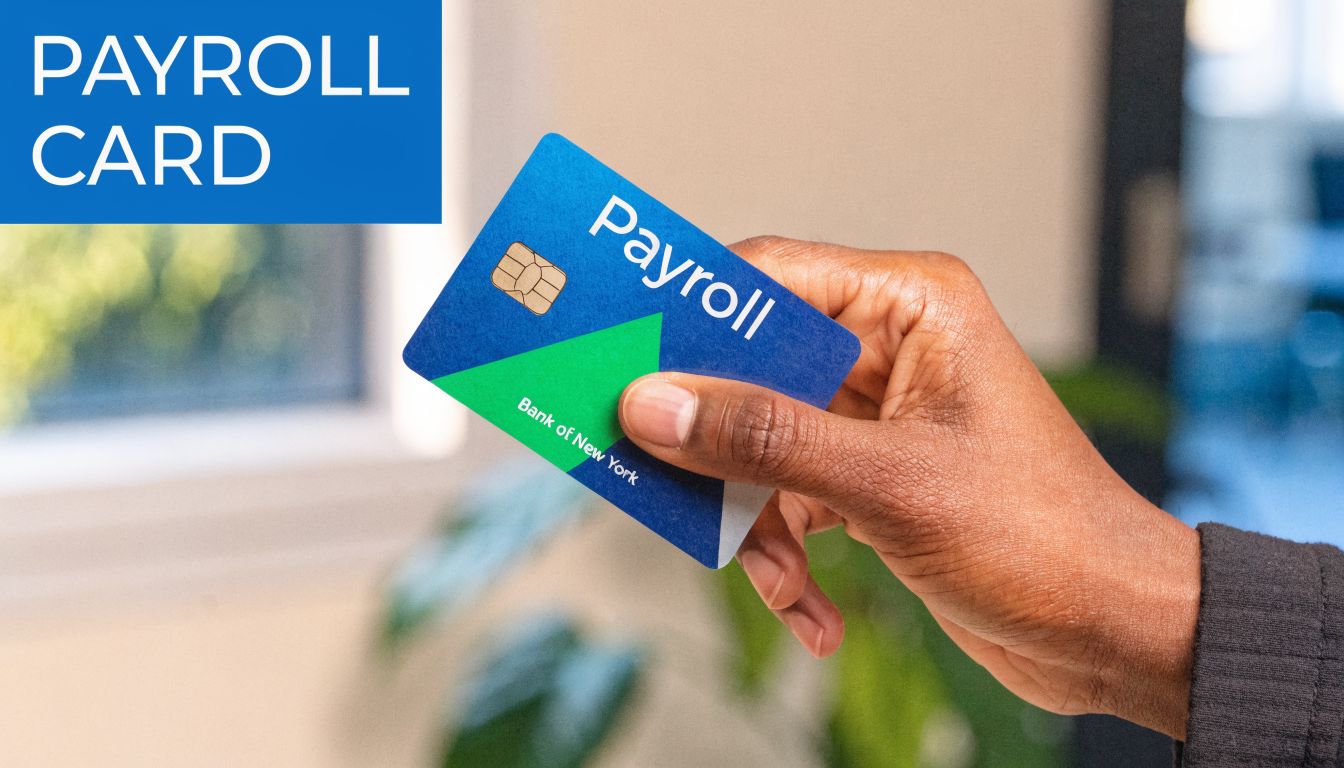
For a small business owner, the practical point is simple. A payroll card is another wage delivery method inside your payroll process. It can solve a real problem for employees who do not want direct deposit or do not use a traditional bank account, but it still has to be set up and administered correctly.
How the mechanics work
Employers usually partner with a payroll card provider that issues the cards and manages the payment network behind them. On payday, wages are sent electronically to the provider, and the employee’s net pay is loaded onto the card.
Employees can then use the funds based on the card program’s terms. That often includes purchases, ATM withdrawals, balance inquiries, and online bill payment. Some programs also include account and routing information, which can matter if an employee wants to connect the card to other payment tools or keep using the account after leaving your company.
Helpside sees employers overlook that last point. Portability and continued access matter because an employee’s final paycheck rights do not disappear when employment ends. A card that becomes hard to use after separation creates support issues fast.
What payroll cards are not
Payroll cards do not replace employee choice, and they do not reduce your wage-and-hour obligations. They also do not guarantee lower costs once you account for transaction fees, replacement cards, customer support, and the time HR spends answering questions.
From a compliance standpoint, that distinction matters.
Payroll cards are generally covered by Regulation E under the Electronic Funds Transfer Act. In practice, that means the program has to support disclosures, transaction history, limited-liability protections for unauthorized transfers, and a process for resolving errors. Employers also need to review state wage payment rules before rolling out a card option, especially if they operate across state lines.
Practical rule: If a provider cannot explain employee fees, access methods, and error resolution in plain English, do not put that card in front of your team.
Payroll cards also differ from products built around faster wage access. If your goal is giving employees access to earned wages before payday, review how on-demand wage access programs work for employers before assuming a payroll card solves the same problem.
Common program formats
Payroll card programs vary more than many employers expect. Some providers offer instant-issue cards for new hires who need wages loaded right away. Others focus on personalized cards mailed to an employee’s home, which can feel more familiar and reduce confusion during setup.
You will also see differences in network acceptance, fee structures, mobile app quality, and whether the account remains usable after employment ends. In practice, those details affect adoption more than the card’s branding does.
Common formats include:
- Instant issue cards for quick setup or replacement
- Personalized cards tied to an individual account profile
- Branded network cards that can be used broadly for purchases
- Portable cards that remain useful after separation from employment
Why employees may choose them
Employees usually choose payroll cards for one of two reasons. They want an electronic option without opening a bank account, or they find paper checks inconvenient and slow.
That does not mean every employee will like them. Some workers worry about ATM fees, declined transactions, or not understanding how to get cash without charges. Others prefer direct deposit because it feels more familiar. That is why enrollment materials, fee disclosures, and a clear explanation of free access options matter so much.
The best payroll card programs are easy to explain, easy to use, and reviewed against the laws in every state where you employ people. That is the standard small businesses should use before adding payroll cards to the mix.
The Business Case Benefits and Risks
Payroll cards can make financial and operational sense. They can also create employee frustration and legal exposure if the program is poorly designed. Both are true.
For small employers, the strongest business case usually starts with replacing paper. Traditional paper check processing costs employers $2 to $4 per check, according to PEO Insider’s review of payroll card economics. That same source notes that, for a small business with 50 employees, moving to an electronic method like payroll cards can save thousands annually, while serving the 72% of the unbanked global workforce who use these cards.

What works well for employers
When payroll cards work, they usually improve three parts of the process.
- Less paper handling means fewer checks to print, distribute, and replace.
- More predictable payday delivery helps teams with field employees, mobile workforces, or employees who aren’t near the office.
- Better support for employees outside traditional banking gives you another option besides handing someone a live check.
For many employers, the operational gain is less about dramatic transformation and more about removing recurring friction. Fewer manual exceptions. Fewer “my check isn’t here” calls. Fewer last-minute workarounds.
Where they help employees
The employee-side value is strongest when the alternative is inconvenient or costly. Workers who don’t use a bank account may otherwise rely on paper checks and third-party check cashing. A payroll card can move them into an electronic pay flow without requiring direct deposit.
This is also where payroll cards and on-demand pay conversations sometimes overlap. If you’re evaluating multiple ways to improve wage access, it helps to compare payroll cards with broader pay flexibility tools like on-demand wage access options for employers.
A payroll card shouldn’t be sold internally as a perk if the real employee experience is confusing fees and poor access to cash.
The risks owners underestimate
The biggest mistakes usually happen before launch.
Fee blindness
A vendor may highlight savings from eliminating checks while downplaying employee ATM fees, replacement card costs, balance inquiry limits, or support burdens. That creates problems fast, especially if lower-wage employees feel the program is taking money out of their pay.
Bad communication
Employees often resist payroll cards when enrollment is rushed or explained poorly. If workers hear “new pay card” but not “you still have a choice,” trust drops immediately. Once that happens, the program becomes an HR issue, not just a payroll one.
Compliance drift
Some employers assume the card vendor “handles compliance.” Vendors help, but the employer still owns how the program is offered, documented, and administered. If your onboarding process, disclosures, or state-law review are weak, the vendor relationship won’t save you.
A practical decision standard
Payroll cards make sense when the program does all of the following:
| Decision factor | Strong fit | Weak fit |
|---|---|---|
| Workforce banking mix | Includes unbanked or underbanked employees | Nearly all employees use direct deposit |
| Pay process | Too much paper handling and check replacement | Current process is already stable and low-friction |
| Vendor terms | Clear fee schedule and employee protections | Hard-to-read fee model and vague support terms |
| Compliance setup | Written process with state review and disclosures | Informal rollout and inconsistent onboarding |
A payroll card program is worth considering when it solves a real workforce problem. It isn’t worth forcing into a population that doesn’t need it.
Navigating Payroll Card Compliance
Compliance is where most payroll card articles get too thin. That’s a problem, because this is the part that exposes employers to real risk.
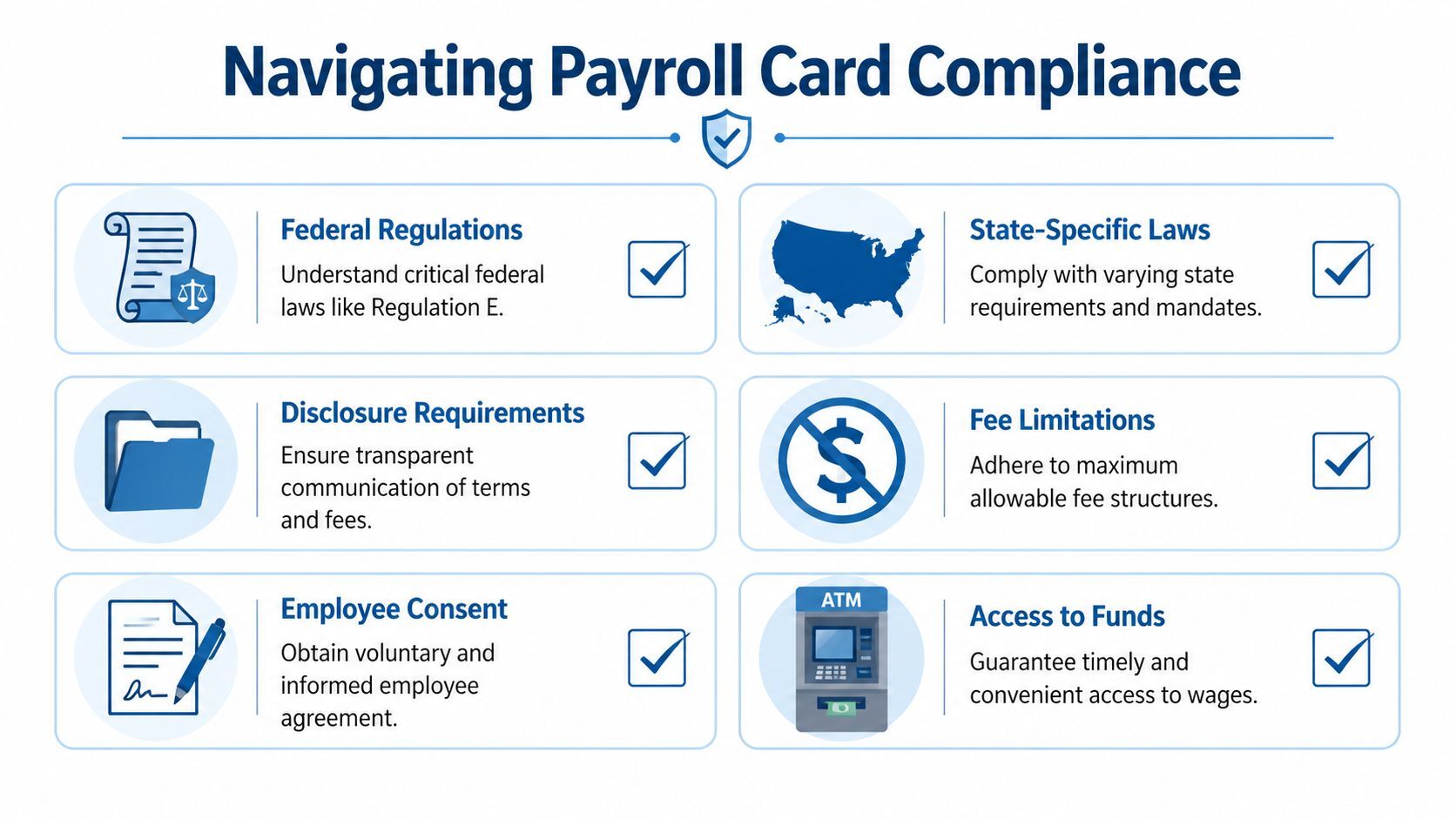
At the federal level, payroll card programs are governed by Regulation E under the Electronic Funds Transfer Act. The central rule is straightforward. Employees must have a choice. You can’t make a payroll card the only wage payment option.
According to Excelforce’s summary of payroll card requirements under Regulation E, employers must offer an alternative to payroll cards, provide written fee disclosures, and ensure employees have access to their transaction history. That same source notes that non-compliance, including forced card usage, can trigger legal risk because it violates the EFTA’s choice mandate.
The federal rules that matter most
If you’re considering payroll cards for employees, these are the operational basics to get right.
Employee choice
An employee has to be able to choose another lawful payment method. If your onboarding packet, manager script, or payroll setup effectively pushes everyone into the card by default, you’ve created risk even if the card vendor itself is compliant.
Written disclosures
Fee disclosures can’t be casual or verbal. Employees need clear written information about how the card works and what charges may apply. If the fee schedule is buried, incomplete, or hard to understand, the program is on shaky ground.
Access to account information
Employees must be able to check balances and access transaction history. If they can’t review recent activity easily, you create both compliance and employee-relations problems.
Error resolution and fraud protections
Payroll card users have legal protections around unauthorized transactions and dispute handling. That means your provider’s support model matters. Long hold times, weak escalation paths, or poor replacement procedures quickly become your problem.
Compliance note: A payroll card program isn’t compliant because the vendor says it is. It’s compliant when your enrollment, disclosures, payroll process, and employee access all line up with the law.
Why state law changes the conversation
Federal law is only the floor. State wage payment rules can add stricter requirements, and multi-state employers need to review each applicable jurisdiction before rollout.
In the Intermountain West, that often means a practical split in approach. In some states, federal requirements will do most of the work. In others, wage payment expectations, consent standards, or final pay timing rules can complicate administration. Even when a state is less prescriptive on payroll cards specifically, the broader wage payment framework still matters.
Employers get into trouble by using one national process for every worker. A policy that works cleanly in one state may create avoidable issues in another.
What a compliant rollout looks like in practice
A sound payroll card rollout usually includes a documented checklist, not just a vendor contract.
- Confirm lawful pay options by state before the program is offered.
- Review the full cardholder fee schedule and make sure payroll, HR, and managers can explain it accurately.
- Build written consent and disclosure steps into onboarding and current-employee enrollment.
- Test employee access to balances, transaction history, and support channels.
- Review wage deduction and minimum wage issues so fees don’t undermine wage compliance.
- Document final pay procedures for employees who separate from employment.
A useful outside perspective on complex compliance systems comes from professionals focused on protecting businesses from unlawful schemes, because the larger lesson is the same. Processes that look efficient on paper can create serious exposure if disclosures, consent, and legal review are weak.
The hidden compliance traps
Some of the most common payroll card mistakes aren’t dramatic. They’re administrative.
- Default enrollment language that sounds mandatory even when the employer says it’s voluntary.
- Incomplete onboarding packets that don’t include the right written fee information.
- Managers answering legal questions informally without understanding state differences.
- Poor separation workflows when final pay timing and wage access need special handling.
- Assuming one vendor setup fits every state where the company employs people.
For small businesses, this is one of the clearest cases for tightening systems before growth creates more exposure. Employers that want a deeper review of their wage payment obligations should also look at broader HR compliance support for small businesses, because payroll card compliance usually sits inside a larger compliance stack.
What Helpside sees work
The cleanest programs are simple. Employers offer payroll cards as one option, not the default. They use a provider with a transparent fee schedule. They train payroll and HR staff on exactly what employees must receive and when. They review state law before enrolling multi-state teams.
The programs that struggle usually share one trait. The employer focused on convenience first and compliance second.
Payroll Cards vs Direct Deposit and Paper Checks
Most employers don’t need one payment method. They need the right mix.
Direct deposit is still the simplest option for employees who use a bank account and want funds delivered there. Paper checks still have a role in some edge cases, but they create the most manual work. Payroll cards sit in the middle. They offer an electronic option for employees who don’t want or can’t use direct deposit, but they require more care than many employers expect.
Comparison of Employee Payment Methods
| Feature | Paper Checks | Direct Deposit | Payroll Cards |
|---|---|---|---|
| Implementation cost | Ongoing printing, handling, and replacement effort | Usually efficient once bank details are set up | Usually efficient after vendor setup, but depends on program terms |
| Administrative effort | Highest | Lowest for banked employees | Moderate, especially during rollout and education |
| Payment speed | Slower and more dependent on physical delivery | Fast and predictable | Fast and predictable once loaded |
| Employee accessibility | Works broadly, but can be inconvenient to cash | Best for employees with bank accounts | Useful for employees without traditional bank accounts |
| Security | Risk of loss, theft, and replacement hassles | Strong, but account fraud risks still exist | Better than paper, but depends on card controls and support |
| Compliance burden | Familiar, but still state-law dependent | Lower friction operationally | Higher than many expect because of disclosures and employee choice |
When each option makes sense
Paper checks
Paper checks are still useful when you’re handling exceptions, temporary transitions, or special one-off situations. They become a poor primary system once you have multiple locations, higher headcount, or employees who aren’t easy to reach in person.
Direct deposit
For a stable, banked workforce, direct deposit usually remains the cleanest option. It creates the least employee friction and tends to produce the fewest support requests. Employers should still stay alert to fraud issues tied to account change requests and payroll diversion. That’s why it helps to train staff on direct deposit scam risks in payroll operations.
Payroll cards
Payroll cards fit best as an alternative, not a replacement for everything else. They help when an employee wants electronic pay but doesn’t want direct deposit into a traditional bank account. They also reduce reliance on paper in workplaces where physical check distribution is messy or inconsistent.
The best payroll method is the one the employee can actually use easily, and the employer can administer lawfully.
For most small businesses, that leads to a blended approach. Direct deposit for employees who want it. Payroll cards for employees who choose them. Paper checks reserved for limited situations.
How to Implement a Payroll Card Program
The success of a payroll card program is decided before the first wage load. Vendor selection, policy language, onboarding steps, and employee education do most of the work.
One of the biggest gaps in the market is cost clarity. As Netspend’s discussion of employer decision gaps around paycards points out, employers may save money by eliminating checks, but they still need to account for recurring card maintenance fees, replacement costs, and integration expenses when evaluating true ROI.
Start with the vendor, not the brochure
A polished sales demo doesn’t tell you enough. Employers should ask for the actual cardholder agreement, the fee schedule, support standards, replacement process, and implementation responsibilities.
Focus on what employees will experience on payday and after payday. That’s where friction shows up.
Questions worth asking vendors
- Who pays which fees. Separate employer fees from employee fees and ask for both in writing.
- How employees access cash. Free or low-friction access matters more than glossy app features.
- What happens when a card is lost. Replacement timing affects real wages in real life.
- How disputes are handled. Support quality affects trust in the whole payroll function.
- How the program fits your payroll system. Integration work can erase expected savings if it’s clumsy.
Build the internal process next
A payroll card rollout needs written procedures that payroll, HR, and managers can follow consistently.
Some employers use their payroll partner or PEO to support the payment setup itself. For example, Helpside offers paperless payroll options that can include direct deposit or a Wisely Pay Card for employees who don’t use bank accounts. That kind of arrangement can be useful when the employer wants payroll administration and HR process support in one system.
The larger point is less about the brand and more about the workflow. If no one owns disclosures, employee elections, final pay handling, and support escalation, the program won’t stay clean.
Employee adoption is where programs succeed or fail
This is the part many employers rush, and employees notice.
A payroll card should never feel like something the company is “switching people onto” without explanation. Employees need to know it is optional, how it works, where fees may apply, and what alternatives remain available.
Don’t launch payroll cards with a one-line email. Treat enrollment like a policy change that affects people’s wages, because that’s exactly what it is.
A rollout approach that tends to work
Instead of forcing a company-wide move, start with a controlled process.
- Identify the use cases first. New hires without bank accounts, remote workers who prefer a card, or teams still relying on paper checks.
- Train the people who answer questions. Payroll staff, HR staff, and front-line managers need the same script.
- Use plain-language enrollment materials. Legal compliance matters, but employees still need a human explanation.
- Track the first wave of issues. Lost cards, fee complaints, ATM access problems, and enrollment confusion will tell you whether the vendor setup is working.
- Keep another lawful pay option active. That isn’t just a compliance issue. It also lowers resistance.
What doesn’t work
The failure patterns are predictable.
- Mandatory tone, even if the program is technically optional.
- Hidden or poorly explained fees that employees discover after enrollment.
- No support plan for lost cards, disputes, or urgent access issues.
- Assuming activation equals adoption when some employees may accept a card but rarely use it well.
- Rolling out nationally without state review.
A good payroll card program is operationally boring. That’s the goal. Employees get paid, they understand their options, and payroll doesn’t spend every cycle troubleshooting avoidable problems.
Payroll Card Questions for Employers
A common small-business scenario looks like this. Payroll wants to stop printing checks, a manager likes the convenience of cards, and an employee asks whether using one is required. That question gets to the heart of payroll card compliance.
Can I require employees to use a payroll card
In most cases, employers should assume no. Payroll cards are usually an optional wage payment method, not the only one. You still need another lawful way to pay wages, and the employee’s choice has to be real, documented, and free from pressure.
Helpside sees problems when the form says “optional” but the rollout feels mandatory. That is where complaints start, especially in multi-state teams.
Are payroll cards better than direct deposit
They solve a different problem. Direct deposit is usually the simpler option for employees with a bank account. Payroll cards can work well for employees who want electronic pay but do not want, or do not have, a traditional banking relationship.
From the employer side, payroll cards can reduce paper check handling. They can also create support work that direct deposit usually does not, including fee questions, lost-card issues, and disputes about fund access.
What should I worry about most before rollout
Start with three questions.
Did you review the rules in every state where employees work? Did the employee clearly consent to the card option? Can the employee access full wages without getting nickel-and-dimed by avoidable fees?
If one of those answers is weak, the program often creates more administration than it saves. In practice, state law review is the point many employers rush past, especially when a vendor markets the card as a simple operational fix.
Do employees use the cards the way employers expect
Not always. Enrollment does not mean understanding, and activation does not always mean long-term use. The Consumer Financial Protection Bureau’s payroll card resources are a better place to start than vendor marketing if you want to understand how employees use payroll cards, what rights apply, and where confusion tends to show up.
In practice, some employees withdraw cash immediately. Some use the card for purchases. Some avoid the card after the first pay cycle if ATM access is poor or fees are harder to understand than they expected. Employers should plan for that variation instead of assuming adoption will be smooth.
What about terminated employees and final pay
Treat this as a wage compliance issue first. Final pay timing rules vary by state, and the method of payment matters if an employee no longer has easy access to the card, disputes prior consent, or needs immediate access to wages.
For multi-state employers, this is one of the first areas I would pressure-test with payroll and HR together. A payroll card process that works for active employees may not work for final pay.
How do I know if a payroll card program is helping or hurting
Look past vendor dashboards and ask what your team is dealing with every pay cycle.
Are employees confused about fees? Are managers fielding repeat questions about how to get cash or replace a lost card? Are payroll staff still cutting a meaningful number of paper checks because employees do not trust the card option? Those are the signals that tell you whether the program is reducing friction or creating it.
If you’re evaluating payroll cards alongside broader payroll, HR, and compliance needs, Helpside can help you review the payment options, workflows, and state-law considerations that affect a growing team.
If you’re dealing with paper checks, payment issues, or multi-state payroll complexity, it may be time to take a closer look at your process. Helpside can help you evaluate payroll card options, ensure compliance, and build a system that actually works for your team.
Ready to offer better benefits without the rising costs?
Call Helpside today for your Free 15-Minute Benefits Audit: 1-800-748-5102 and see how much time and money your business could save.
Further Readings: